Why You Should Protect
Your Synology Environment
Synology NAS devices are widely used to store and manage critical business data and applications. But without a dedicated Synology backup solution, organizations remain vulnerable to downtime, ransomware, and irreversible data loss. Synology systems often serve as primary file servers, collaboration platforms, and backup targets, making them especially costly and time-consuming to rebuild after an incident. Comet Backup’s Synology backup solution delivers reliable protection with fast, flexible recovery options.

Extended Downtime Impact
Without reliable Synology backups, recovering from hardware failure, disk corruption, failed updates, or accidental deletion can take hours or days. Extended downtime disrupts daily operations, limits user access to shared data, and impacts productivity across the organization.

Ransomware Vulnerability
Synology NAS devices are frequent targets for ransomware attacks seeking to encrypt or destroy shared files and backup repositories. Effective protection requires backups with immutable storage that attackers cannot encrypt or delete, even if the NAS or administrator credentials are compromised.

Compliance and Liability Risk
Many industries require documented backup and recovery procedures for file storage and data repositories. Inadequate Synology backup strategies increase the risk of failed audits, regulatory non-compliance, and legal exposure following data loss incidents.

Critical Data Loss
Synology systems store business-critical files, shared folders, application data, and user information. Without dedicated backups, accidental deletion, disk failure, malware, or system corruption can result in permanent data loss with no reliable recovery path.
Product Overview
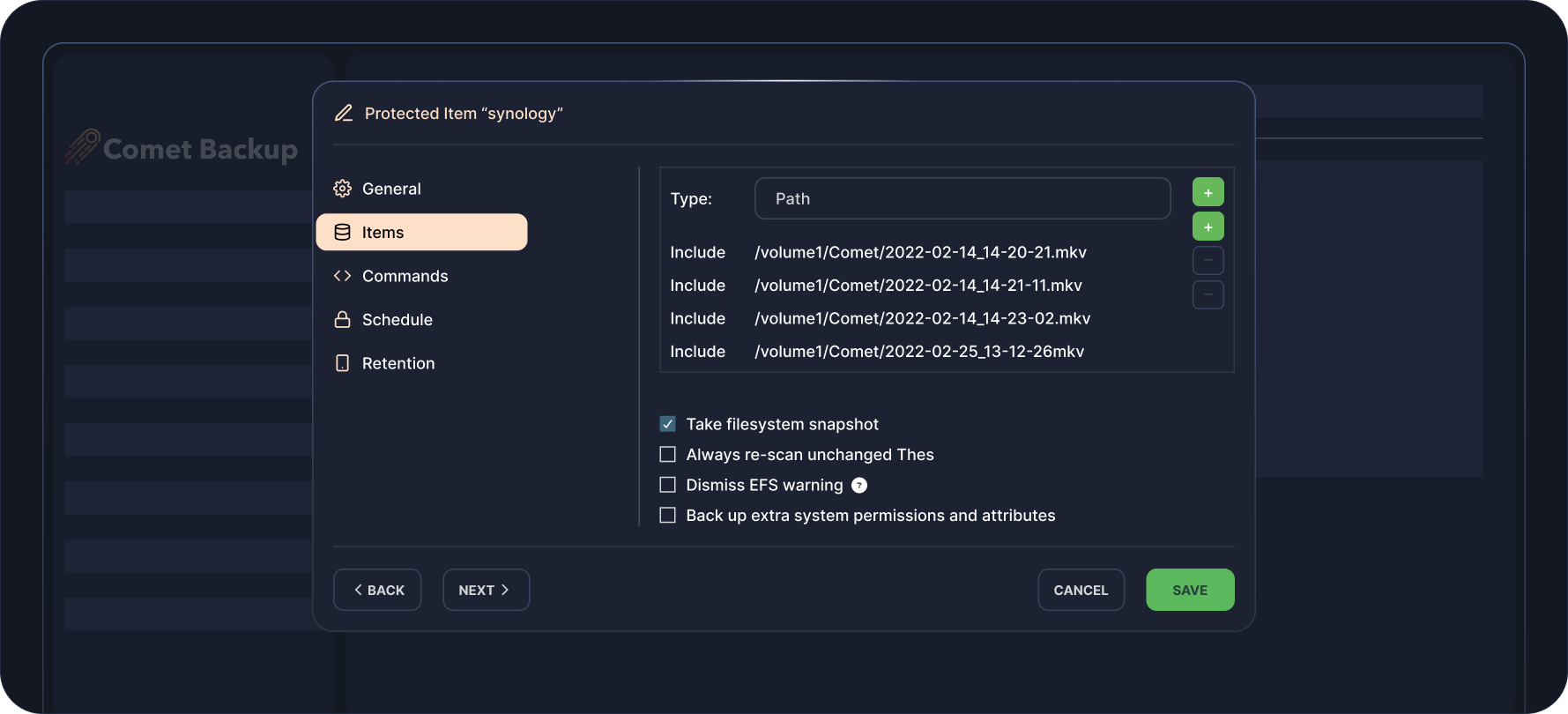
Synology Backup Configuration
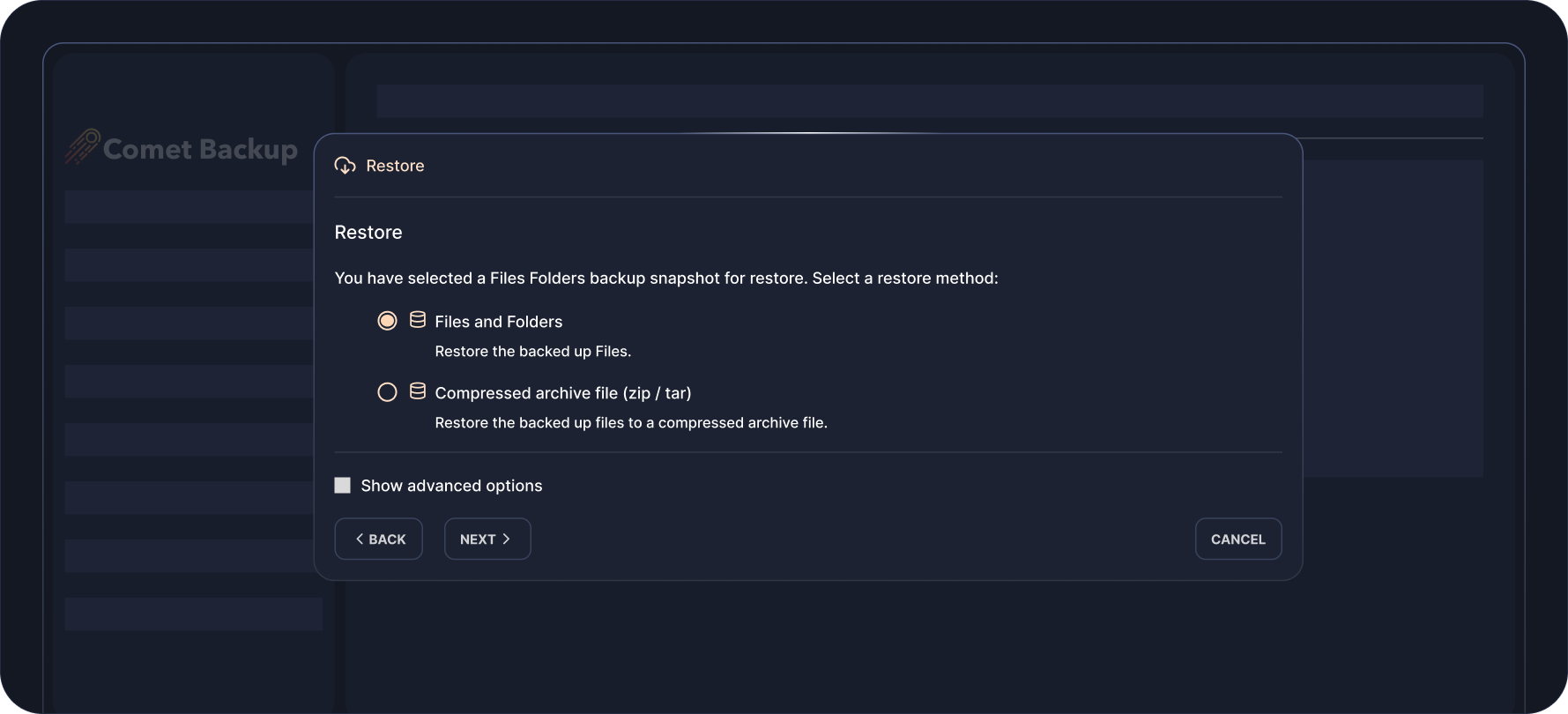
Restore Method Selection
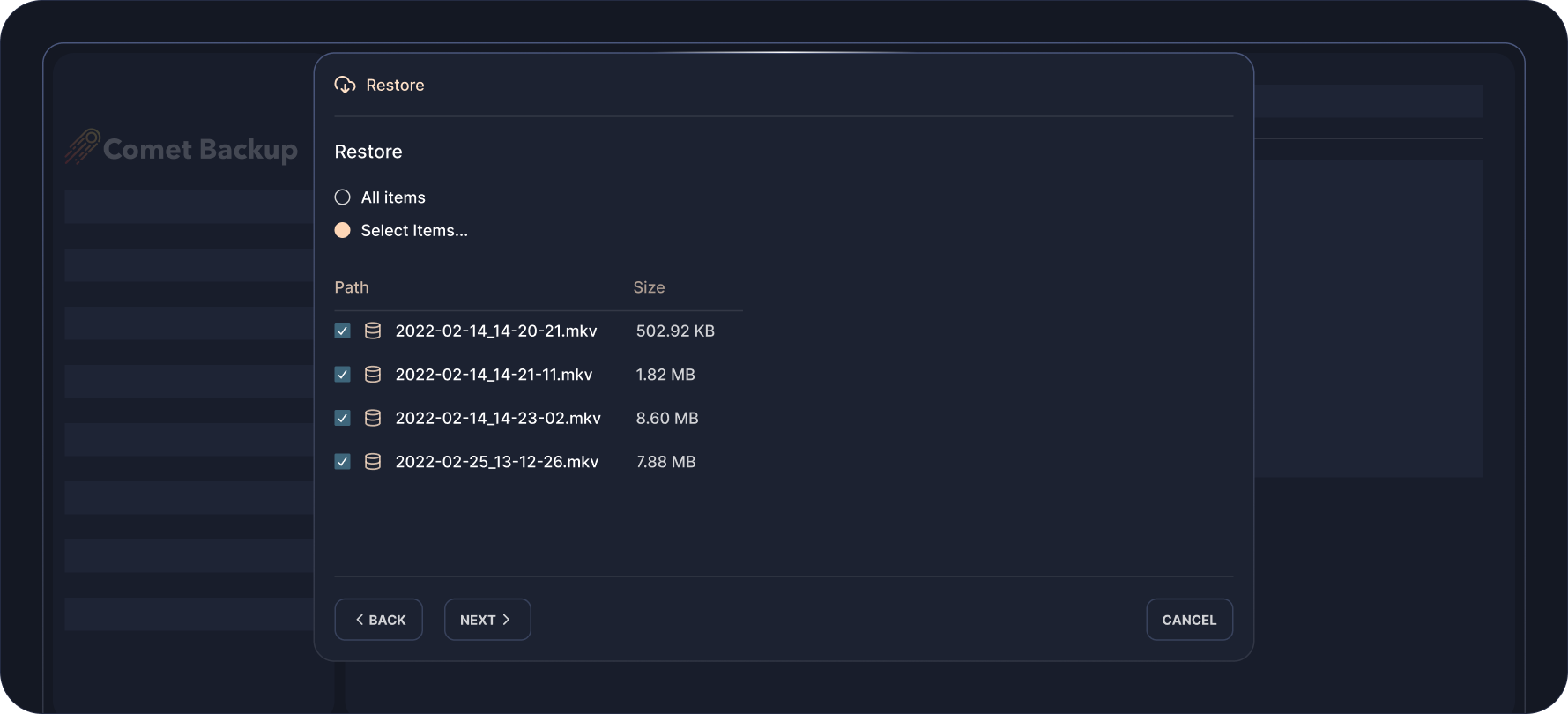
Restore Item Selection
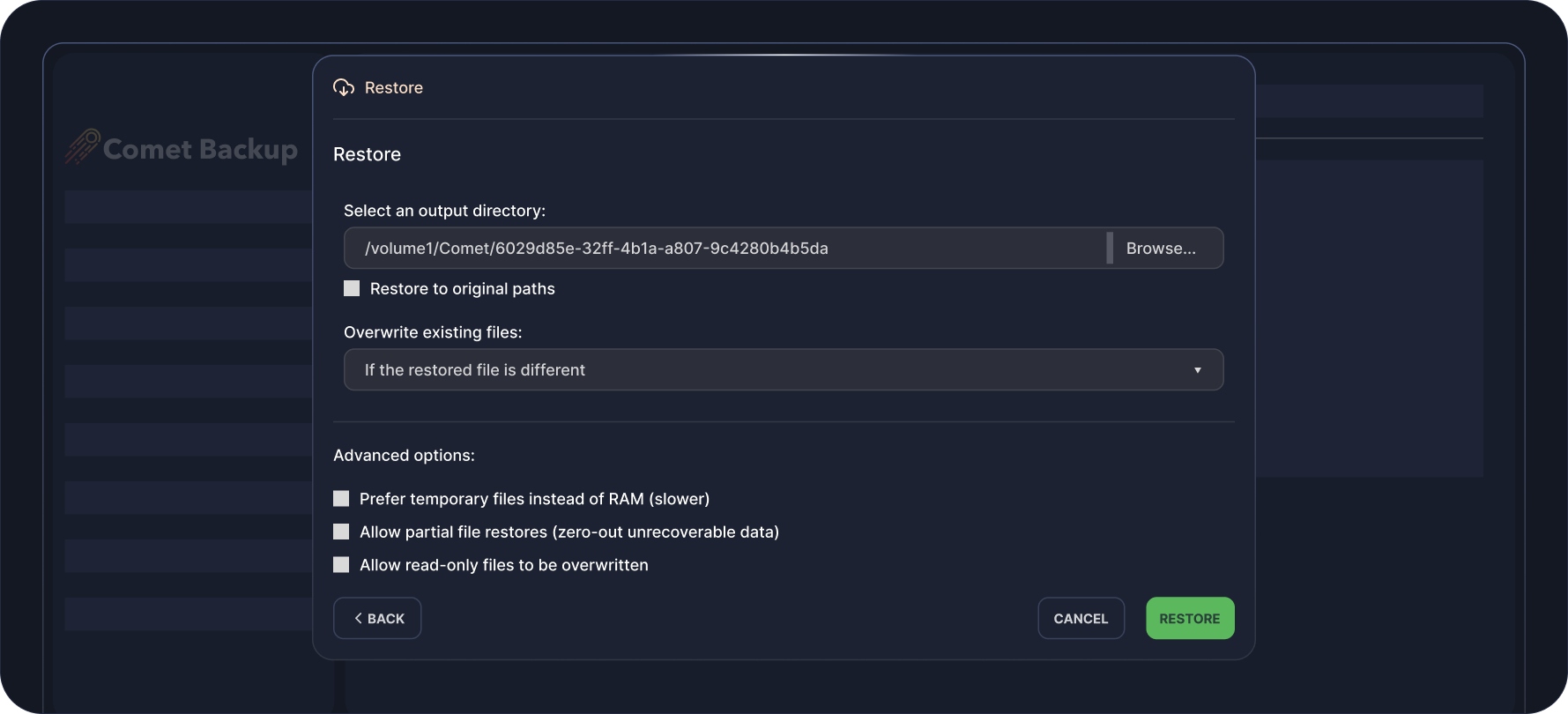
Output Directory When Restoring
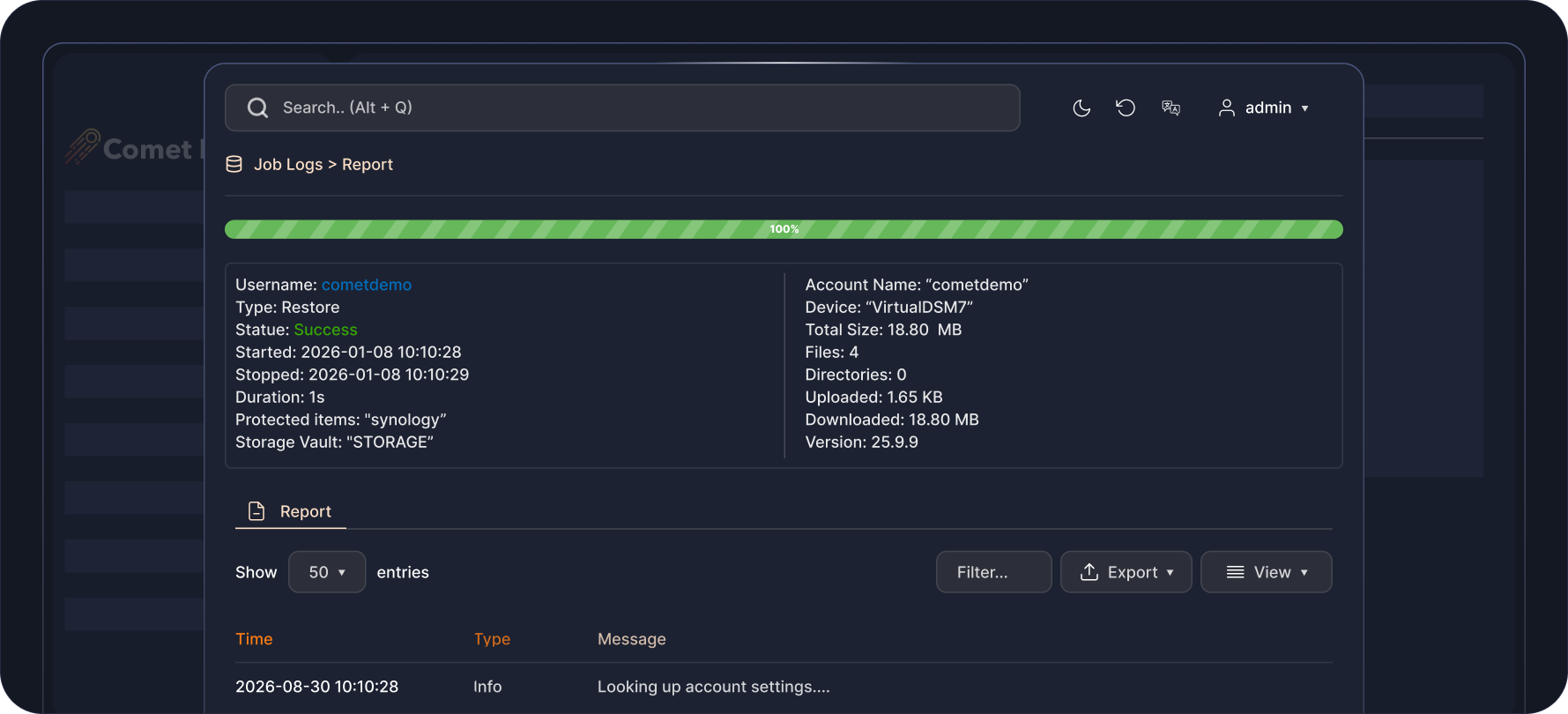
Detailed Job Report
Flexible Pricing That
Scales With You
Pay only for what you use. Add licenses and storage as your business grows.

Professional
Starting from $49 USD / monthBest for: Growing MSPs or larger IT teams.
All-in-one cloud solution to back up your data. No infrastructure requirements.
-
 1 Comet-Hosted Management Console License included
-
Starting at $2 / endpoint / month
-
Backup to cloud storage
-
Automatic startup & maintenance
-
No hardware required

Advanced
Starting from $99 USD / monthBest for: Backup resellers, VARs, or MSPs at scale.
Versatility for backup deployments across multiple environments with varying requirements.
-
5 Management Console Licenses included (Comet-Hosted and/or Self-Hosted)
-
Starting at $2 / endpoint / month
-
Backup to cloud or on-prem storage
-
Advanced security controls & access controls
-
Audit logging

Enterprise
Contact us for pricingDo you have custom backup requirements?
Talk to us for a comprehensive solution that meets your needs at scale.
-
Management Console Licenses based on enterprise volume
-
Endpoint pricing based on enterprise volume
-
Backup to cloud or on-prem storage
-
Advanced security controls & access controls
-
Audit logging
-
Air-Gap Management Console licensing option
Enterprise
Contact us for pricingDo you have custom backup requirements?
Talk to us for a comprehensive solution that meets your needs at scale.
-
Management Console Licenses based on enterprise volume

Watch It In Action
See how easy it is to set up and recover your Synology data in this short demo.
FAQS
You can back up your Synology data to a different Synology NAS, local storage or cloud storage. Backed up data is compressed and encrypted, optimizing storage space.
In DSM 6, Comet has full access to the system to back up and restore files in all Shared Folders, as well as system files. In DSM 7, Synology introduced a sandboxing system for packages to improve security. As a result, Comet does not have access to Shared Folders by default—after installation, you will need to explicitly grant the Comet Backup app access to each Shared Folder you wish to back up through the Synology Control Panel. Please check the documentation when going through this process for the first time.
Yes, Comet allows customizable backup scheduling. Users can also configure customizable retention range policies.
As with the existing Windows, macOS, and Linux Comet Backup client installers, you can get started with Synology by downloading your SPK package from the Comet Management Console downloads page.
A Synology NAS backup pricing depends on your account plan. Check out our pricing page for more details.
RESOURCES






ready for take off?

Sign up for our free 30 day trial