Why You Should Protect
Your Mac Data
Most organizations prioritize server backups while neglecting macOS workstations where users store business critical data. This oversight exposes valuable, hard-to-replace files, institutional knowledge and system configurations to hardware failures, accidental deletion and cyber threats. Our dedicated macOS workstation backup solution ensures comprehensive protection with fast, reliable recovery tailored for Mac environments.

Costly Downtime
Without fast and reliable macOS workstation backups, businesses face costly downtime. Delays in restoring critical data slow workflows, impacting teams handling invaluable files or confidential client projects.

Ransomware Resilience
macOS ransomware attacks require advanced defense. Immutable, offline backups stored in a third-party location that you control keeps your files more secure from attacks, safeguarding your systems.

Regulatory & Legal Risks
Many sectors demand verifiable data protection. Lack of formal macOS backup protocols exposes organizations to audits, compliance failures, and liabilities.

Irreplaceable Data Threat
macOS workstations hold months of unique work, intellectual property, and system settings. Without specialized backups, this vital data is lost to hardware issues or accidental deletion with no recovery option.
Product Overview
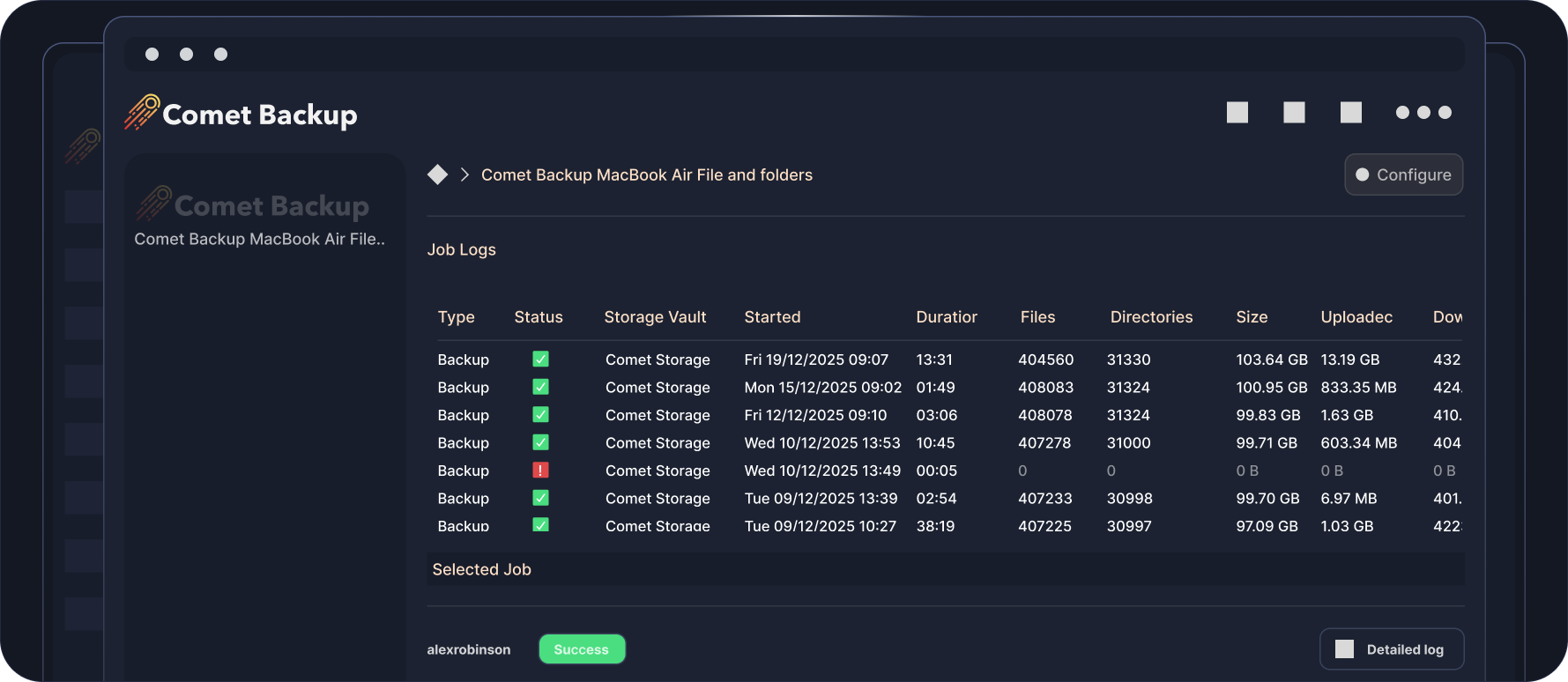
macOS job logs (agent view)
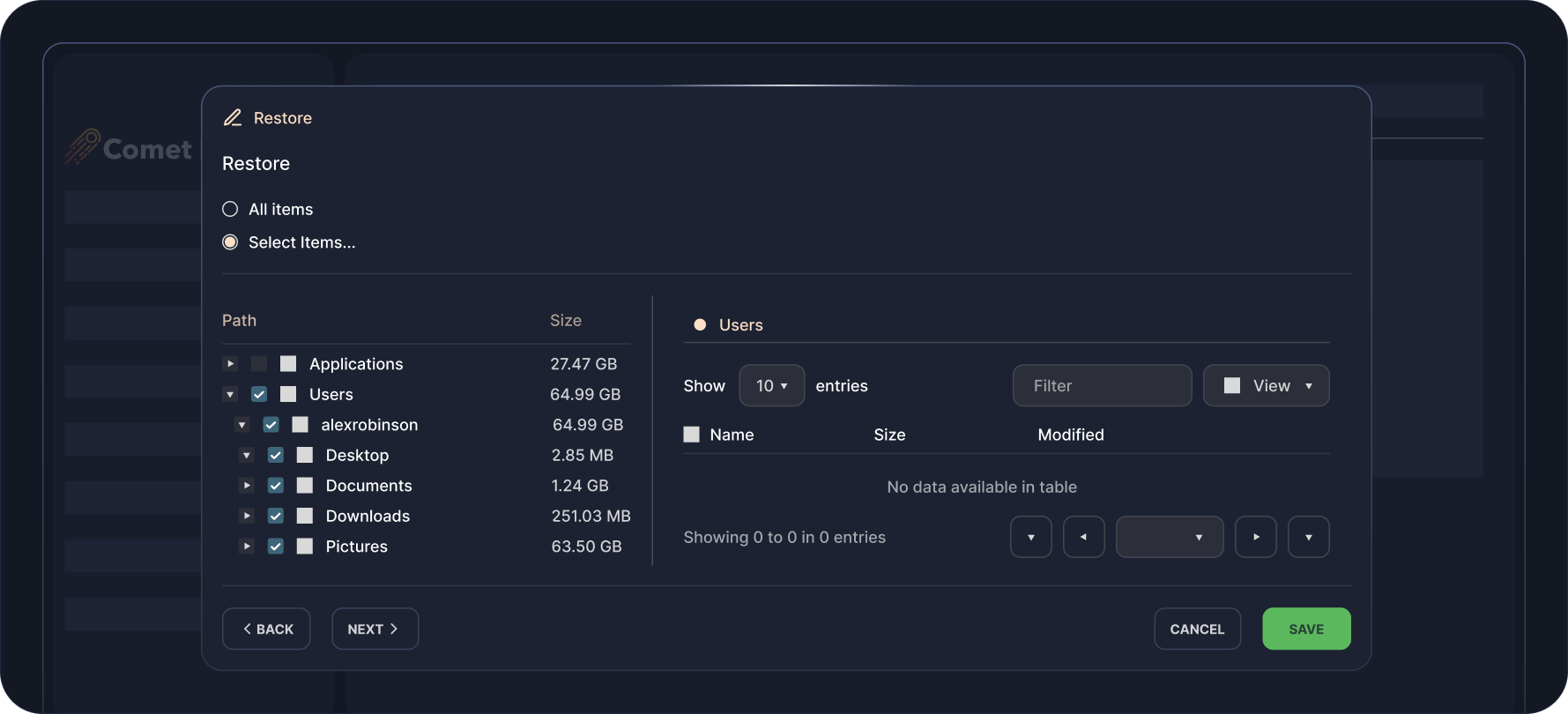
File and Folder restoration selection window
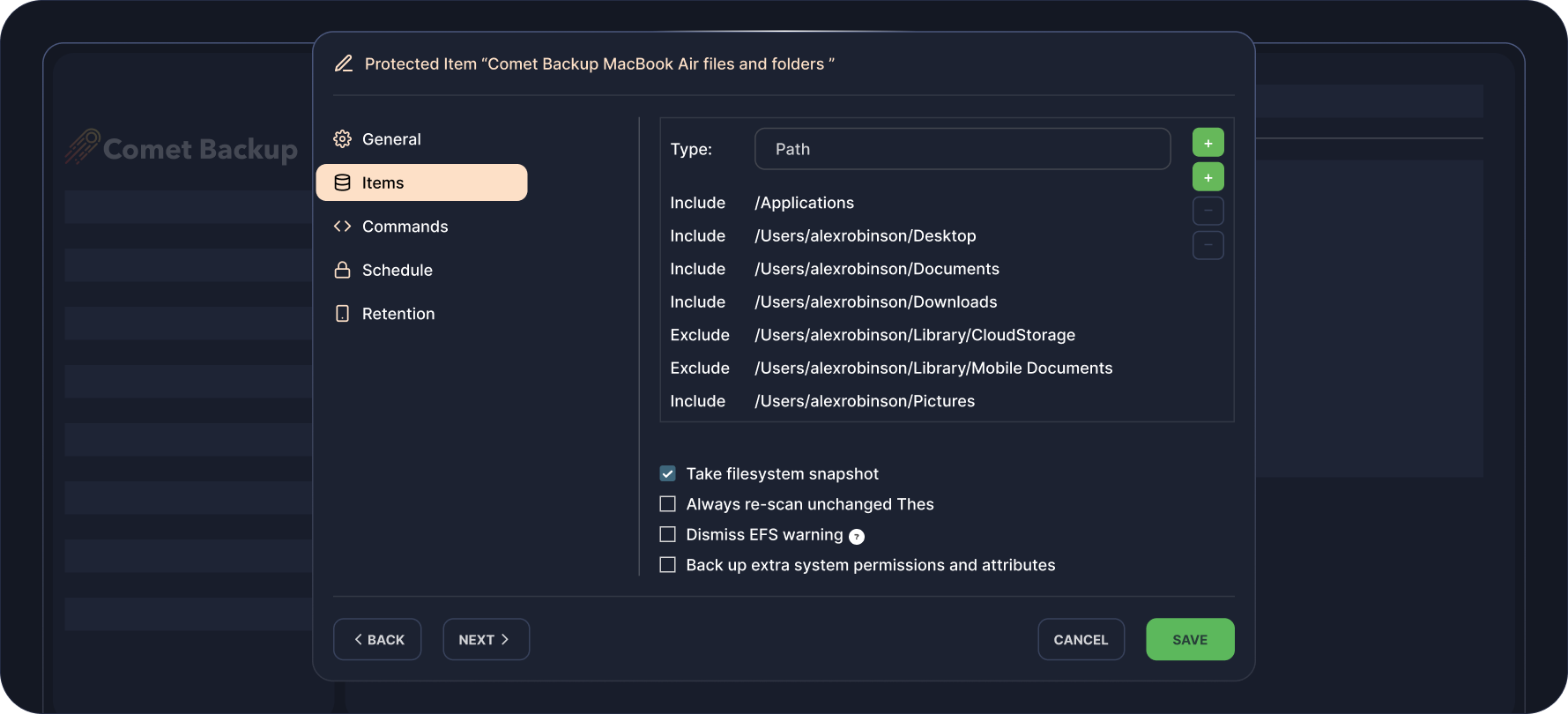
File and Folder item selection window
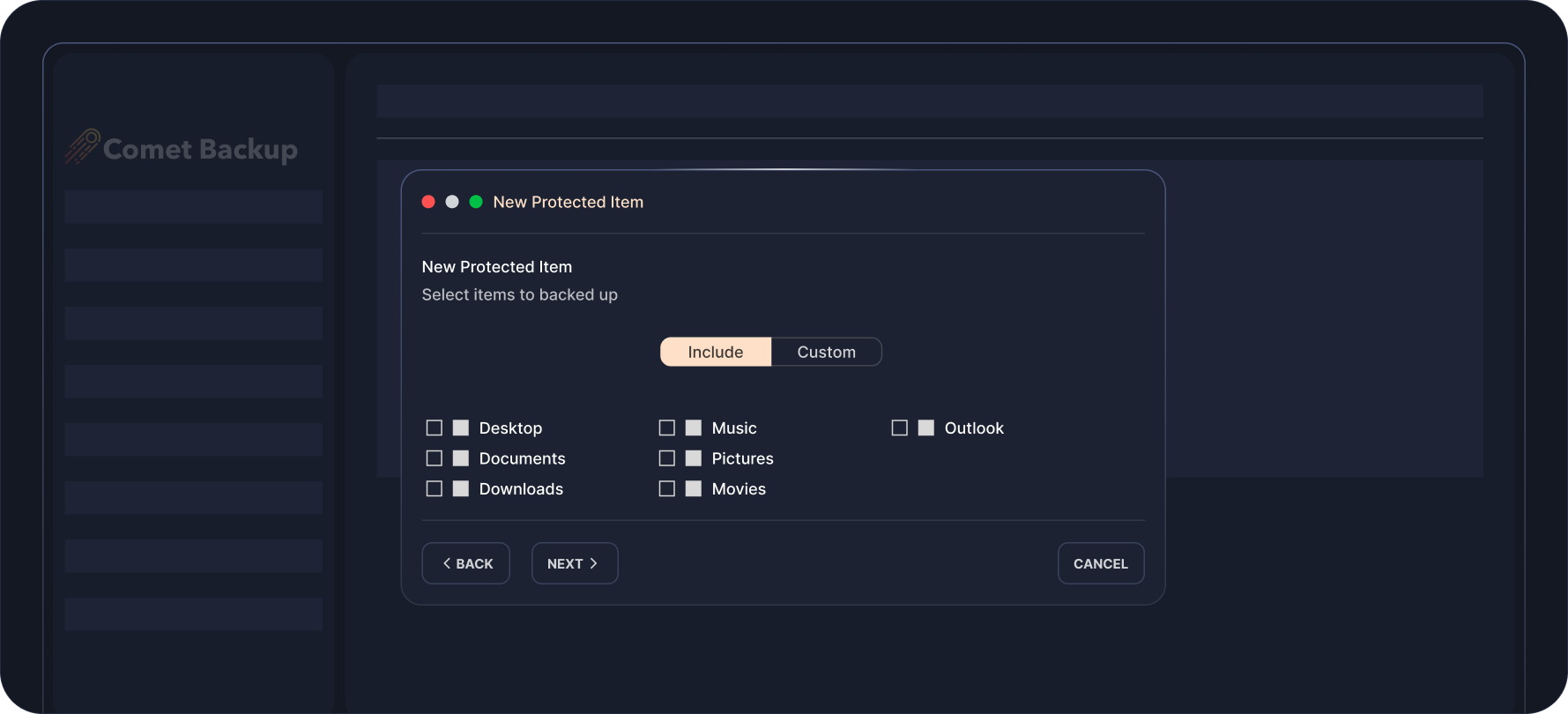
File and Folder job log showing file size, duration, etc (agent view)
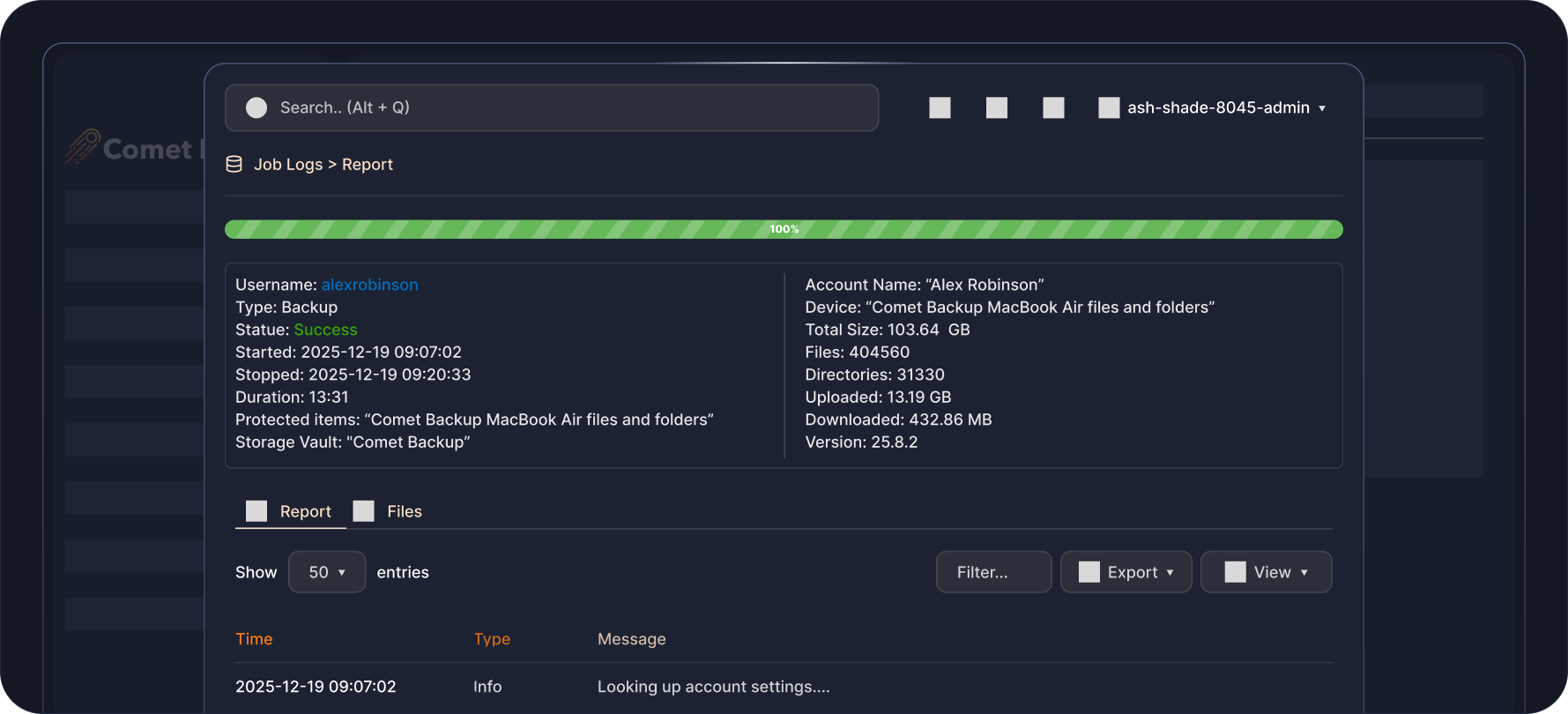
File and Folder job log showing file size, duration, etc.
File and Folder macOS Backups
for Quick Data Recovery
Comet Backup makes it simple and reliable to protect important data at the files and folders level across macOS, Windows, and Linux systems, giving users precise control over what they back up across multiple operating systems. This backup type is ideal for ensuring critical documents, media, and configuration files are always safe without the need to capture an entire system image.
Granular Control
Choose exactly which files and directories to include or exclude for optimal performance and storage efficiency.

Cross-Platform Support
Unified backup experience for all major operating systems including macOS, Windows, and Linux.

Incremental Forever Backups
After the first run, only changed or new files are uploaded, reducing bandwidth usage and speeding up backup times.

Fast Recovery
Restore individual files or entire folders within minutes, either to their original location or an alternate destination.
Granular Control
Choose exactly which files and directories to include or exclude for optimal performance and storage efficiency.
Cross-Platform Support
Unified backup experience for all major operating systems including macOS, Windows, and Linux.
Incremental Forever Backups
After the first run, only changed or new files are uploaded, reducing bandwidth usage and speeding up backup times.
Fast Recovery
Restore individual files or entire folders within minutes, either to their original location or an alternate destination.


Flexible Pricing That
Scales With You
Pay only for what you use. Add licenses and storage as your business grows.

Professional
Starting from $49 USD / monthBest for: Growing MSPs or larger IT teams.
All-in-one cloud solution to back up your data. No infrastructure requirements.
-
 1 Comet-Hosted Management Console License included
-
Starting at $2 / endpoint / month
-
Backup to cloud storage
-
Automatic startup & maintenance
-
No hardware required

Advanced
Starting from $99 USD / monthBest for: Backup resellers, VARs, or MSPs at scale.
Versatility for backup deployments across multiple environments with varying requirements.
-
5 Management Console Licenses included (Comet-Hosted and/or Self-Hosted)
-
Starting at $2 / endpoint / month
-
Backup to cloud or on-prem storage
-
Advanced security controls & access controls
-
Audit logging

Enterprise
Contact us for pricingDo you have custom backup requirements?
Talk to us for a comprehensive solution that meets your needs at scale.
-
Management Console Licenses based on enterprise volume
-
Endpoint pricing based on enterprise volume
-
Backup to cloud or on-prem storage
-
Advanced security controls & access controls
-
Audit logging
-
Air-Gap Management Console licensing option
Enterprise
Contact us for pricingDo you have custom backup requirements?
Talk to us for a comprehensive solution that meets your needs at scale.
-
Management Console Licenses based on enterprise volume

Watch It In Action
FAQS
Comet backs up files and folders on macOS workstations, ensuring business-critical documents and files are restorable for business continuity.
Comet supports granular restore of files and folders for quick recovery of specific items back to the original device or to a new device.
Yes. The Management Console is your single-pane-of-glass console, allowing you to configure device and backup settings remotely from a web interface, as well as monitor backup statuses and initiate restores.
Comet supports storage destinations such as cloud storage (Comet Storage, Wasabi, Google Cloud), on-prem and off-site storage. Click here to find out more.
Comet supports macOS 10.13 “High Sierra” or newer. Check out the hardware requirements here.
RESOURCES




ready for take off?

Sign up for our free 30 day trial