Why You Should Protect
Your Hyper-V Environment
Microsoft Hyper-V powers critical workloads across production, development, and disaster recovery environments, but without a dedicated Hyper-V backup solution, organizations remain vulnerable to downtime, ransomware, and irreversible data loss. Hyper-V virtual machines store operating systems, applications, and business-critical data that are difficult and time-consuming to rebuild. Comet Backup's Hyper-V backup software delivers reliable protection with fast, flexible recovery options.

Extended Downtime Impact
Without reliable Hyper-V backups, recovering from host failure, storage corruption, or VM deletion can take hours or days. Prolonged downtime disrupts operations, delays services, and directly impacts revenue for organizations running critical workloads on Hyper-V.

Ransomware Vulnerability
Hyper-V environments are increasingly targeted by ransomware seeking to encrypt or destroy virtual machine data. Effective protection requires backups with immutable storage that attackers cannot modify or delete – even if the Hyper-V host or management layer is compromised.

Compliance and Liability Risk
Many industries require documented backup and recovery procedures for virtual infrastructure. Inadequate Hyper-V backup strategies and policies increase the risk of failed audits, compliance violations, and legal exposure following data loss incidents.

Critical Data Loss
Hyper-V virtual machines contain application data, system states, and configuration settings essential to business operations. Without dedicated backups, accidental deletion, hardware failure, or corruption can result in permanent data loss with no reliable recovery path.
Advanced Recovery and
Migration Flexibility
Comet Backup extends beyond basic Hyper-V protection by enabling powerful recovery and migration scenarios.

Virtual Machine Backup & Restore
Protect entire Hyper-V virtual machines using efficient, image-based backups.
Learn more

Cross-Platform Restores
Restore Hyper-V backups to Hyper-V, VMware, or Proxmox environments, regardless of where the backup was originally taken from.
Learn more

Physical-to-Virtual (P2V) Recovery
Restore physical machines from Comet Disk Image backups directly into Hyper-V virtual machines without requiring replacement hardware.
Learn more

VM Migration Using Existing Backups
Migrate workloads between Hyper-V, VMware, and Proxmox using your existing Comet backups, simplifying platform transitions and infrastructure modernization.
Learn more
Product Overview
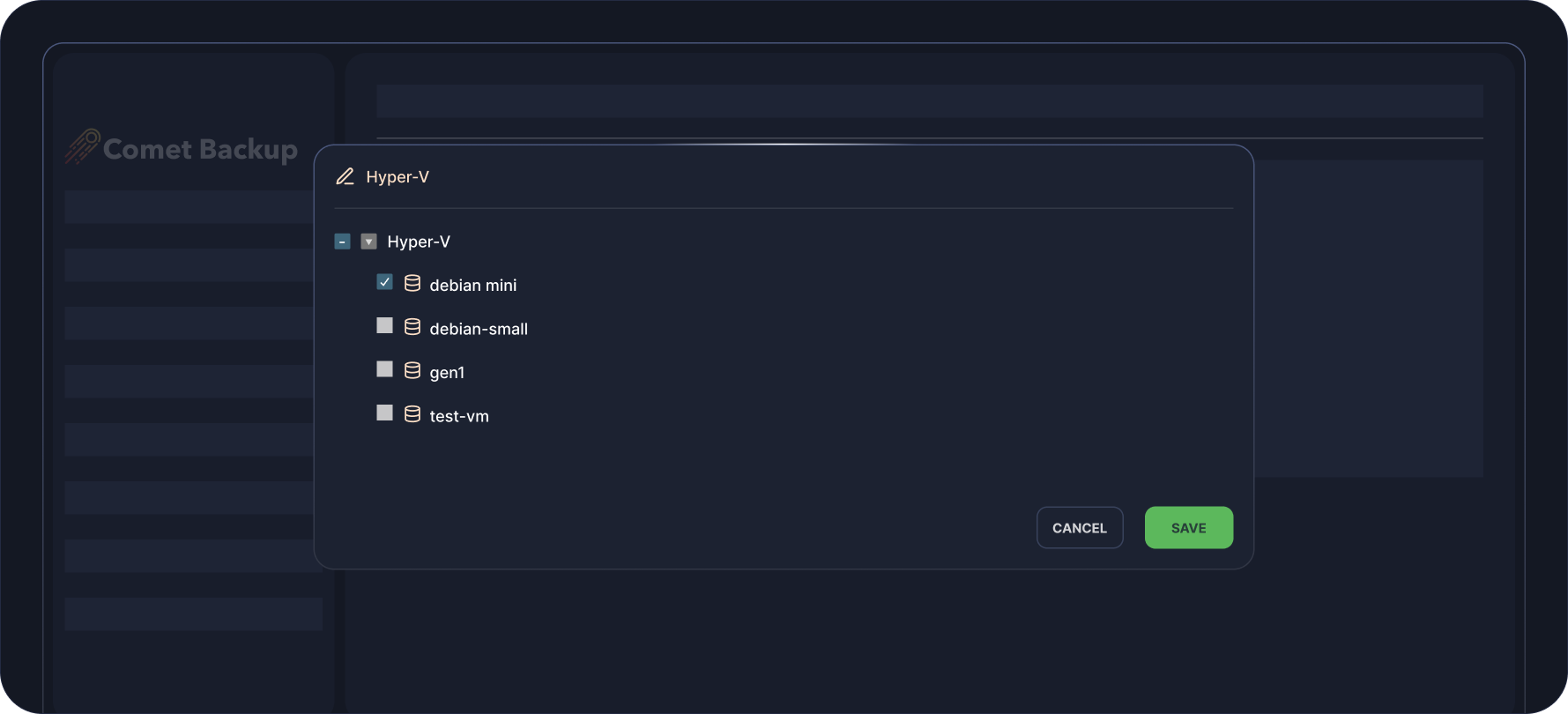
Hyper-V Guest Selection
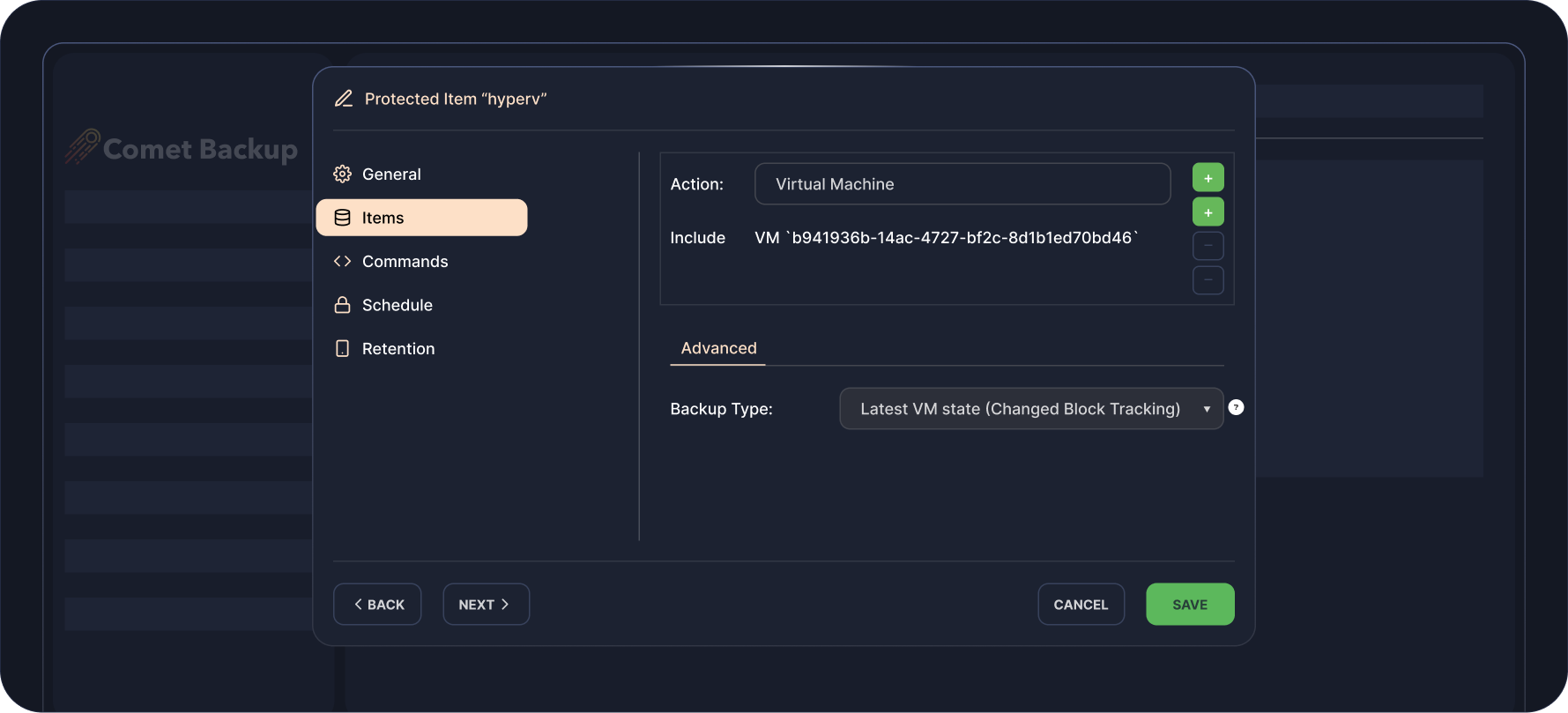
CBT Mode Available For Faster Backup Performance
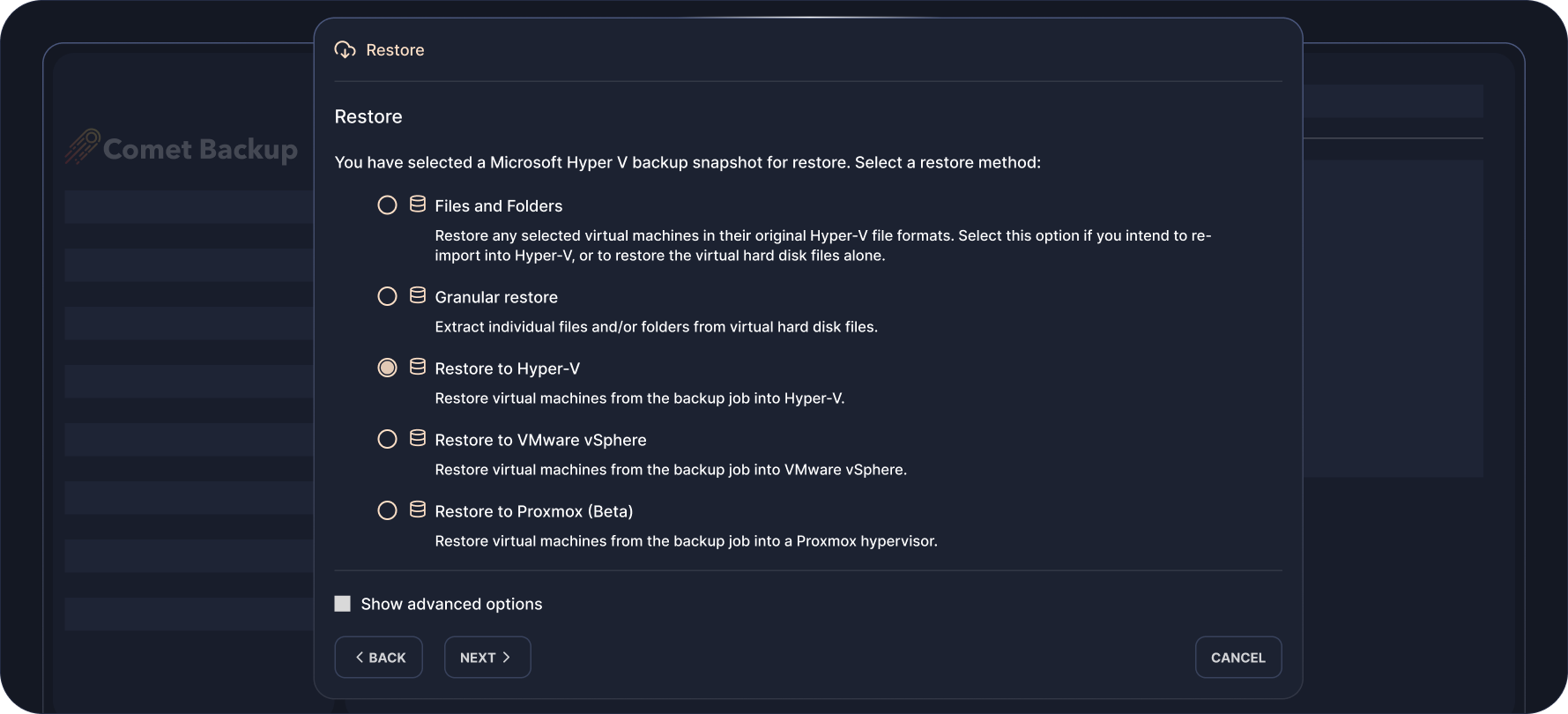
Restore Method Selection
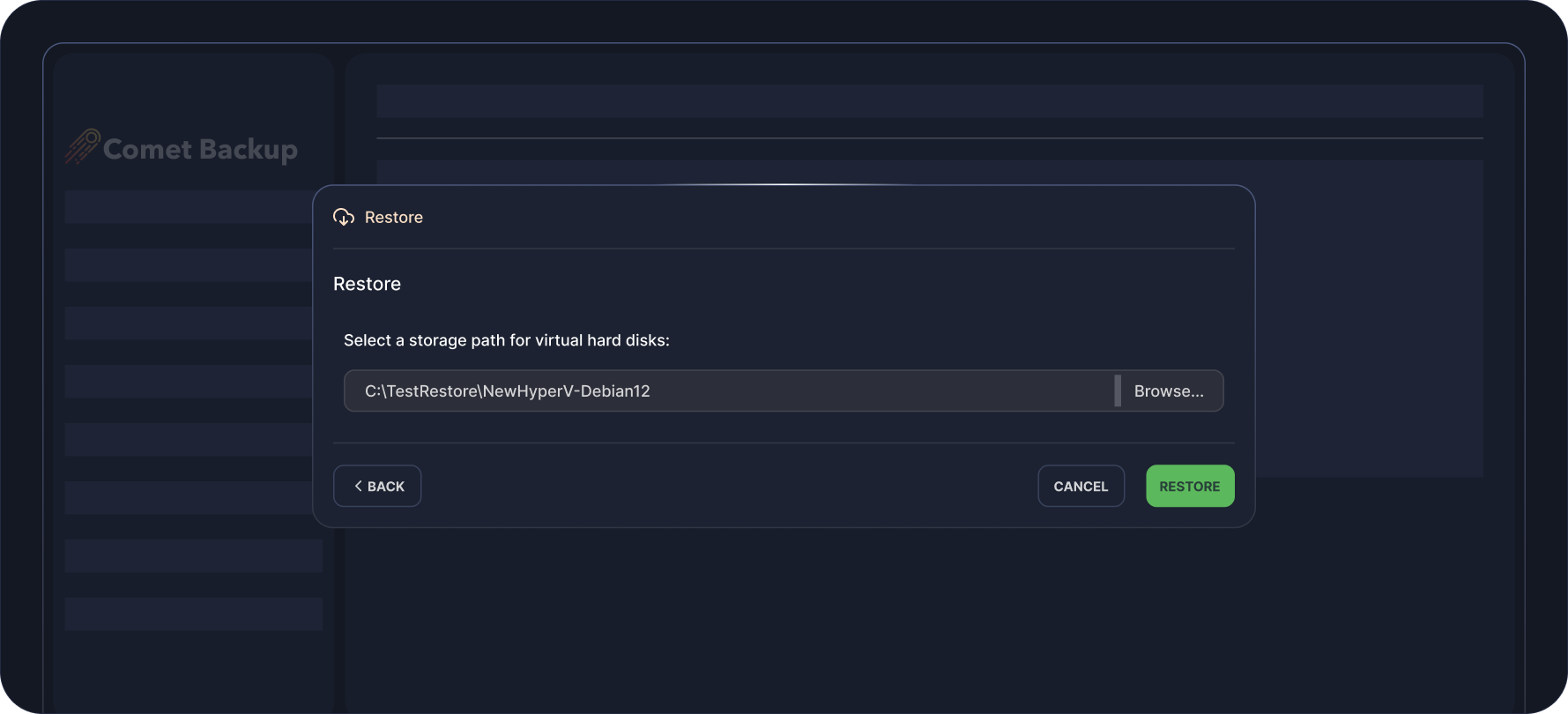
Restoring Back To Hyper-V
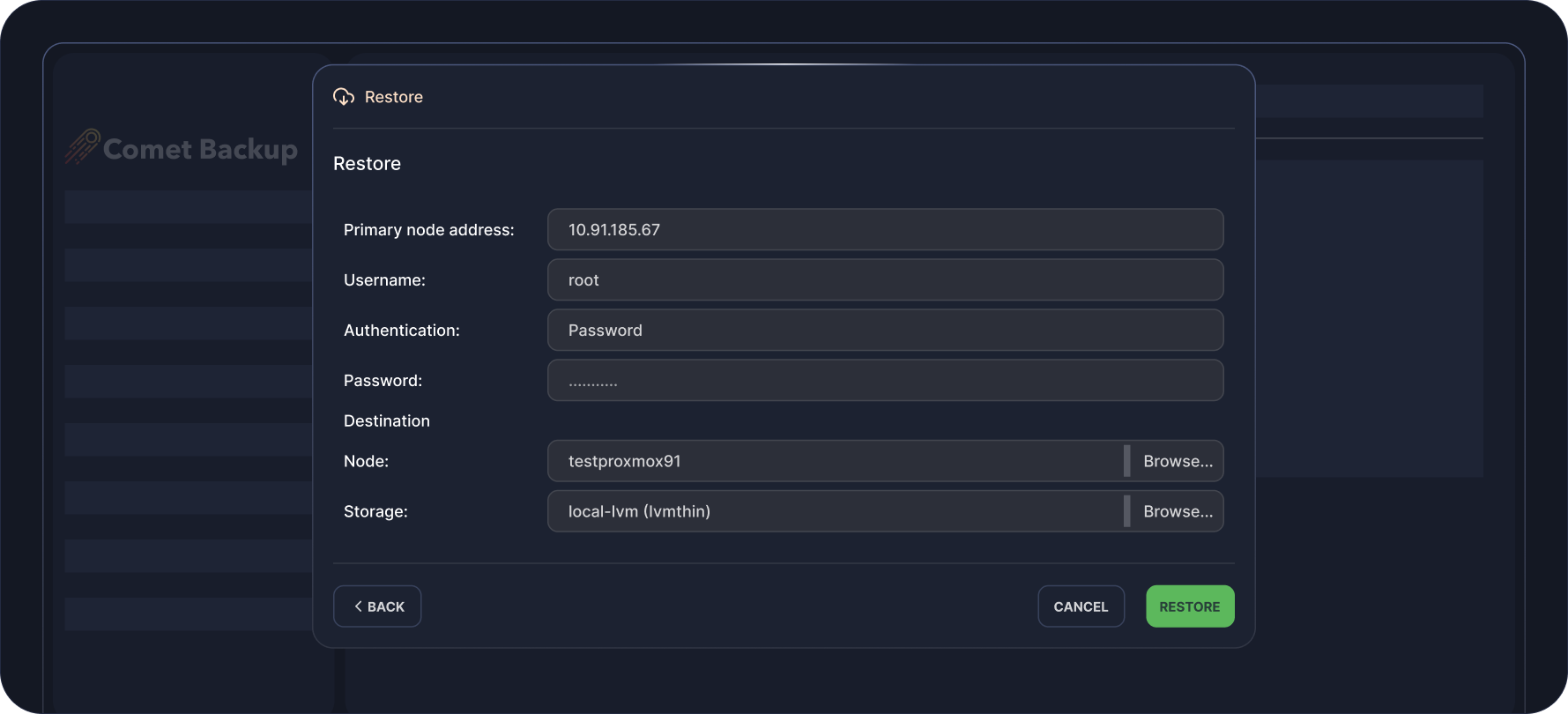
Restoring To Proxmox
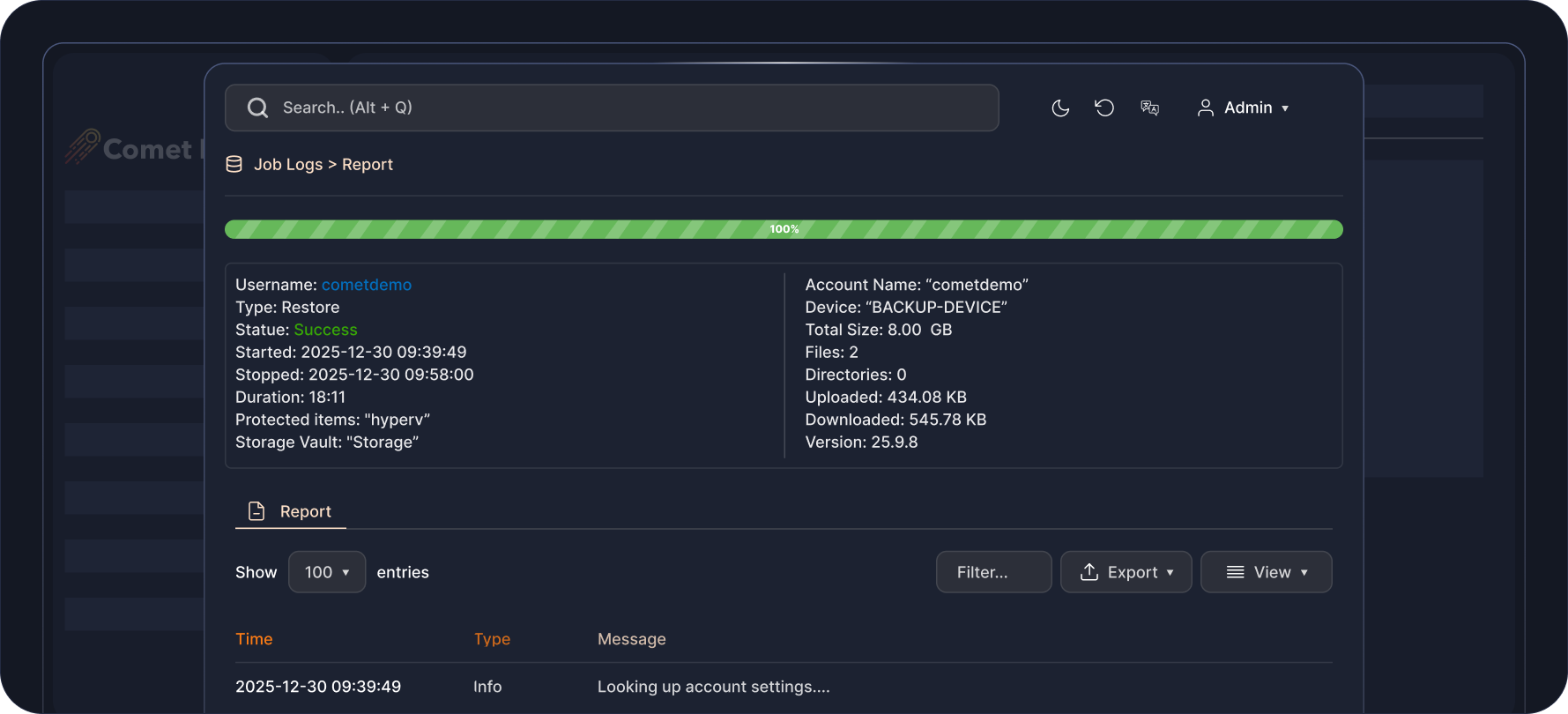
Detailed Job Report
Flexible Pricing That
Scales With You
Pay only for what you use. Add licenses and storage as your business grows.

Professional
Starting from $49 USD / monthBest for: Growing MSPs or larger IT teams.
All-in-one cloud solution to back up your data. No infrastructure requirements.
-
 1 Comet-Hosted Management Console License included
-
Starting at $2 / endpoint / month
-
Backup to cloud storage
-
Automatic startup & maintenance
-
No hardware required

Advanced
Starting from $99 USD / monthBest for: Backup resellers, VARs, or MSPs at scale.
Versatility for backup deployments across multiple environments with varying requirements.
-
5 Management Console Licenses included (Comet-Hosted and/or Self-Hosted)
-
Starting at $2 / endpoint / month
-
Backup to cloud or on-prem storage
-
Advanced security controls & access controls
-
Audit logging

Enterprise
Contact us for pricingDo you have custom backup requirements?
Talk to us for a comprehensive solution that meets your needs at scale.
-
Management Console Licenses based on enterprise volume
-
Endpoint pricing based on enterprise volume
-
Backup to cloud or on-prem storage
-
Advanced security controls & access controls
-
Audit logging
-
Air-Gap Management Console licensing option
Enterprise
Contact us for pricingDo you have custom backup requirements?
Talk to us for a comprehensive solution that meets your needs at scale.
-
Management Console Licenses based on enterprise volume

Watch It In Action
See how easy it is to set up and recover your Hyper-V data in this short demo.
FAQS
Comet is cluster-compatible. If your data is stored on a Hyperconverged server using Storage Spaces Direct, Comet will be able to back up VHD files from anywhere in the Hyperconverged cluster.
The set of virtual machines available for backup will only reflect the current Hyperconverged node, so it is recommended to install Comet on all the host nodes in the cluster.
Yes, Comet supports production checkpoints. If the guest VM is running a supported version of Windows, a production checkpoint will integrate with guest VSS services to create a VSS snapshot inside the guest operating system, offering best quiescence for VSS-aware services such as Microsoft SQL Server running inside the guest operating system.
If production checkpoints are not available for the specified VM, Comet is able to make use of standard checkpoints or other methods to safely take a point-in-time checkpoint of the VM.
Yes, Comet is able to deduplicate multiple VM images together if you back up multiple VMs to the same Storage Vault.
Comet also uses its chunking algorithm to deduplicate different snapshots of the same VM taken at different times, resulting in highly efficient storage use.
There are several restore options available. You can restore the virtual machines in their original file format, perform granular restores of files and/or folders, or restore to a new virtual machine in Hyper-V, Proxmox, or VMware vSphere.
Yes, Comet’s Hyper-V backup supports Change Block Tracking using WMI/RCT as its underlying technology and is compatible with all versions of Hyper-V running on Windows Server 2016 or later and Windows 10 or later.
RESOURCES





ready for take off?

Sign up for our free 30 day trial